Check CCS support on the car before buying an adapter
Open Controls → Software → Additional Vehicle Information on the Tesla’s touchscreen. Look for CCS adapter support. ChargePoint says it should show Enabled for its CCS1 charging option. If it is disabled or unclear, get Tesla to confirm the next step for that vehicle before relying on it.
Tesla’s own adapter manual says some cars lack CCS charging capability. A compatible adapter and a compatible car are both required. The car’s year, FSD package or an adapter photographed in the trunk is not a substitute for this check.
| Station connector | What a Tesla needs | What to verify before buying used |
|---|---|---|
| J1772 AC | A suitable J1772 adapter | The actual adapter is included and the station is available to you |
| CCS1 DC fast charging | CCS support in the car plus a compatible CCS Combo 1 adapter | The support screen, the exact adapter and the station’s connector |
Source: Tesla: North American CCS Combo 1 adapter manual
Source: ChargePoint: Tesla charging and the CCS support check
Current Model 3 and Model Y listings to check
Photos and links come from current dealer listings. Examples leave this guide when they no longer meet its checks; confirm availability and unresolved details with the selling dealer.
2024 Tesla Model Y Long Range

VIN: 7SAYGDEE6RF108327
28,985 mi · AWD · Electric
Ask for the CCS support screen and photos of the cable and adapters included in the sale. Match them to the stations you plan to use.
Model, mileage and location come from the dealer listing. CCS support and included charging equipment have not been verified for this VIN.
2024 Tesla Model 3 Long Range Awd
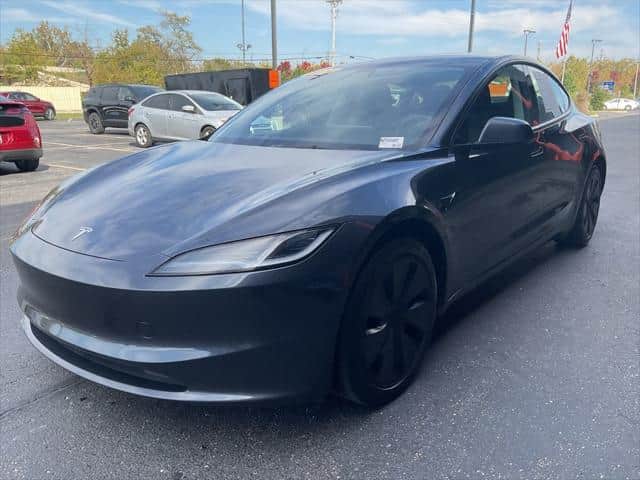
VIN: 5YJ3E1EB0RF745487
76,793 mi · AWD · Electric
Ask for the CCS support screen and photos of the cable and adapters included in the sale. Match them to the stations you plan to use.
Model, mileage and location come from the dealer listing. CCS support and included charging equipment have not been verified for this VIN.
2023 Tesla Model 3 Long Range Awd
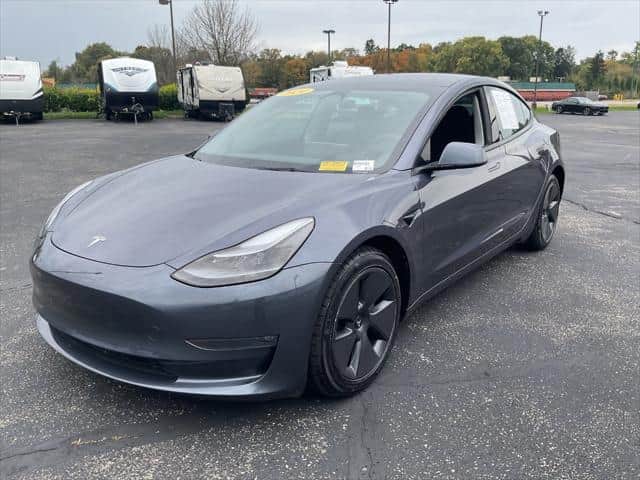
VIN: 5YJ3E1EB2PF594164
16,731 mi · AWD · Electric
Ask for the CCS support screen and photos of the cable and adapters included in the sale. Match them to the stations you plan to use.
Model, mileage and location come from the dealer listing. CCS support and included charging equipment have not been verified for this VIN.
Start with your apartment, workplace or regular route
“There is a charger nearby” is a useful lead, not a charging plan. Open the operator’s listing for the exact station. Check its connector, access hours, parking restrictions and payment setup. Ask your building or employer whether you can actually use the space.
A J1772 charger at work and a CCS1 fast charger at a shopping center need different adapters. Get a clear photo of the connector if the description is vague. Compare that with the equipment supplied with the car, rather than buying an adapter because its listing says “Tesla.”
If you do not have home charging, pick a practical regular stop and a backup before choosing the car. Include the detour and the time you can leave it parked. Tesla provides request templates for apartment and condo charging, but permission and installation remain separate arrangements.
Source: Tesla: charging at home, in apartments and on the road
Ask what is actually in the trunk
Treat the mobile charging cable and each adapter as separate items in the sale. Ask for current photos, identifying labels and a written list of what you will receive. Accessories that came with a car when new may not be with it now.
A useful dealer reply identifies the VIN, shows the CCS support screen and names the included equipment. If the reply is only “it charges fine,” ask which connector they tested. For a car showing disabled CCS support, ask Tesla about the VIN’s options and requirements. This guide does not establish that a retrofit is available for any listed car.
Have damaged or unidentified equipment checked before use. Follow the vehicle and adapter instructions. Tesla warns against using a damaged CCS adapter or modifying it.
Source: Tesla: adapter compatibility and handling instructions
A successful connection is not a charging-speed guarantee
Tesla says CCS charging time depends on the station’s available power and current, ambient temperature and battery temperature. A charger’s advertised peak is not a promise for every car or every stop.
If charging access is the deciding factor between two cars, ask whether the dealer can demonstrate the relevant connection with the actual vehicle and compatible equipment. Keep battery condition and remaining warranty as separate checks. A working charge session answers a useful question, but it is not a battery-health certificate.
Send this before arranging a viewing
“For VIN [VIN], could you send a current Additional Vehicle Information photo showing CCS adapter support, plus photos and identifying labels for the charging cable and adapters included in the sale? I plan to use [station or connector]. Can you confirm or demonstrate that setup on this car?”
Use “Ask dealer about charging” on a current listing to open that car’s contact form. Paste the request and add your station details. If the car has sold, use the same checks on another listing. The cards refresh with available inventory and do not certify CCS compatibility.
Get help finding your next car
Tell the AI assistant your ZIP code, travel distance and must-have features. Here is a starting point you can adapt:
Help me compare used Model 3 and Model Y listings near my ZIP code. Ask where I will charge. Do not infer CCS adapter support or included charging equipment from the model year, trim, FSD package or a generic charging-port field. Help me request evidence for the exact VIN.
You can also browse current listings or shop with Car Handshake in ChatGPT. Confirm unresolved equipment and availability with the selling dealer.
Publication notes
Initial publication, 5 Nov 2026. Tesla’s North American CCS Combo 1 manual and ChargePoint’s charging guidance checked. Vehicle cards are candidates to investigate, not verified CCS-compatible cars.
Report a correction to support@dealerhandshake.com.